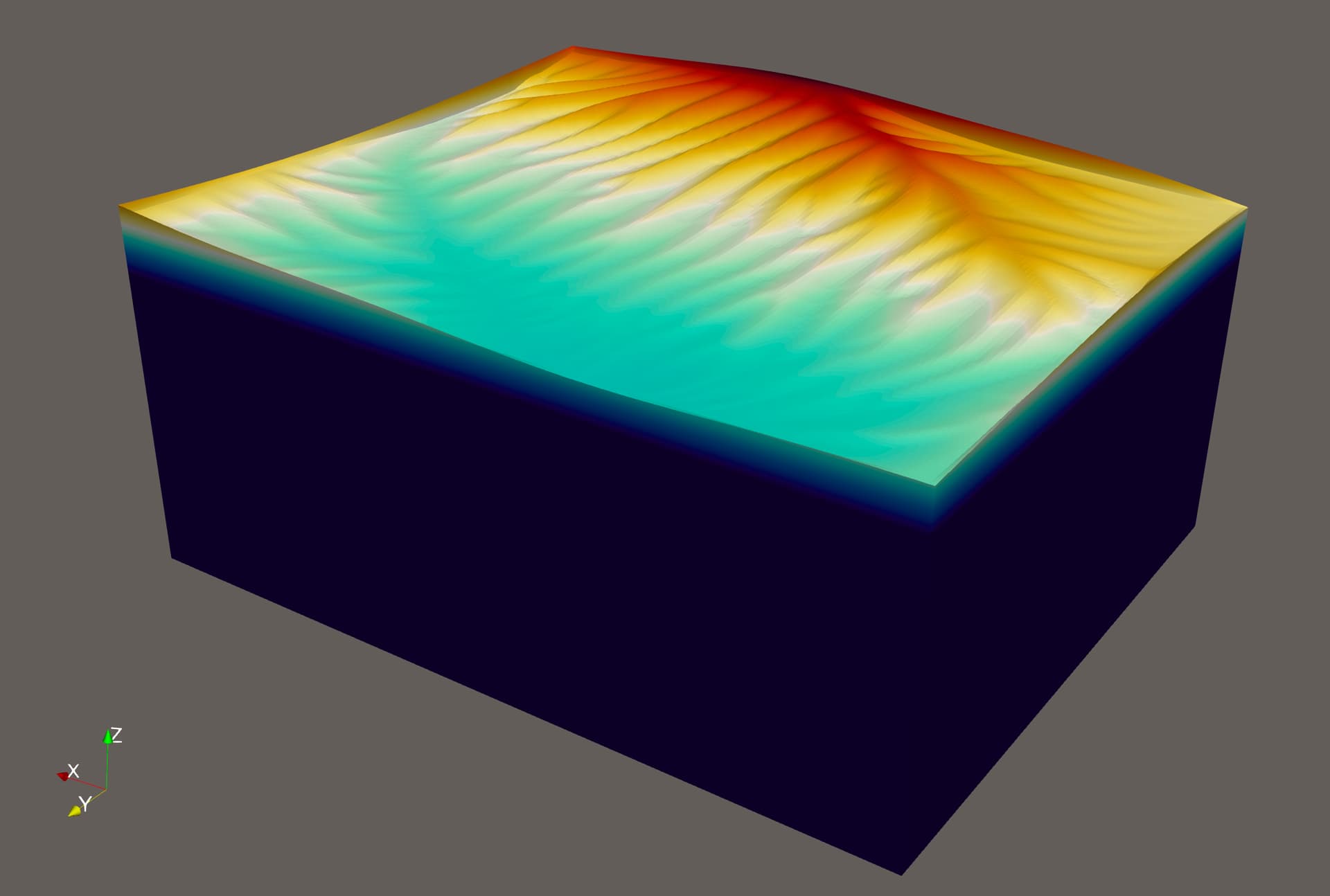
Here it is:
…
*** Timestep 4: t=200000 years, dt=50000 years
Executing FastScape… 5 timesteps of 10000 years.
Writing FastScape VTK...
---------------------------------------------------------
TimerOutput objects finalize timed values printed to the
screen by communicating over MPI in their destructors.
Since an exception is currently uncaught, this
synchronization (and subsequent output) will be skipped
to avoid a possible deadlock.
-------------------------------------------------------------------------------------------------------------
Exception ‘SolverControl::NoConvergence(it, worker.residual_norm)’ on rank 0 on processing:
----------------------------------------------------
Exception ‘SolverControl::NoConvergence(it, worker.residual_norm)’ on rank 17 on processing:
----------------------------------------------------
Exception ‘SolverControl::NoConvergence(it, worker.residual_norm)’ on rank 21 on processing:
--------------------------------------------------------
An error occurred in line <1337> of file </opt/apps/candi/29may25/deal.II-v9.5.2/include/deal.II/lac/solver_cg.h> in function
void dealii::SolverCG<VectorType>::solve(const MatrixType&, VectorType&, const VectorType&, const PreconditionerType&) \[with MatrixType = dealii::TrilinosWrappers::SparseMatrix; PreconditionerType = dealii::TrilinosWrappers::PreconditionAMG; VectorType = dealii::TrilinosWrappers::MPI::Vector\]
The violated condition was:
solver_state == SolverControl::success
Additional information:
Iterative method reported convergence failure in step 1837395. The

residual in the last step was 1.34222e-05.


This error message can indicate that you have simply not allowed a

sufficiently large number of iterations for your iterative solver to

converge. This often happens when you increase the size of your

problem. In such cases, the last residual will likely still be very

small, and you can make the error go away by increasing the allowed

number of iterations when setting up the SolverControl object that

determines the maximal number of iterations you allow.


The other situation where this error may occur is when your matrix is

not invertible (e.g., your matrix has a null-space), or if you try to

apply the wrong solver to a matrix (e.g., using CG for a matrix that

is not symmetric or not positive definite). In these cases, the

residual in the last iteration is likely going to be large.
Stacktrace:
-----------
#0 /opt/apps/aspect/3.0.0/bin/aspect-release: void dealii::SolverCGdealii::TrilinosWrappers::MPI::Vector::solve<dealii::TrilinosWrappers::SparseMatrix, dealii::TrilinosWrappers::PreconditionAMG>(dealii::TrilinosWrappers::SparseMatrix const&, dealii::TrilinosWrappers::MPI::Vector&, dealii::TrilinosWrappers::MPI::Vector const&, dealii::TrilinosWrappers::PreconditionAMG const&)
#1 /opt/apps/aspect/3.0.0/bin/aspect-release: aspect::MeshDeformation::MeshDeformationHandler<3>::compute_mesh_displacements()
#2 /opt/apps/aspect/3.0.0/bin/aspect-release: aspect::MeshDeformation::MeshDeformationHandler<3>::execute()
#3 /opt/apps/aspect/3.0.0/bin/aspect-release: aspect::Simulator<3>::solve_timestep()
#4 /opt/apps/aspect/3.0.0/bin/aspect-release: aspect::Simulator<3>::run()
#5 /opt/apps/aspect/3.0.0/bin/aspect-release: void run_simulator<3>(std::__cxx11::basic_string<char, std::char_traits, std::allocator > const&, std::__cxx11::basic_string<char, std::char_traits, std::allocator > const&, bool, bool, bool, bool)
#6 /opt/apps/aspect/3.0.0/bin/aspect-release: main
--------------------------------------------------------
Aborting!
----------------------------------------------------
--------------------------------------------------------------------------
MPI_ABORT was invoked on rank 0 in communicator MPI_COMM_WORLD
with errorcode 1.
NOTE: invoking MPI_ABORT causes Open MPI to kill all MPI processes.
You may or may not see output from other processes, depending on
exactly when Open MPI kills them.
--------------------------------------------------------------------------
In: PMI_Abort(1, N/A)
----------------------------------------------------
Exception ‘SolverControl::NoConvergence(it, worker.residual_norm)’ on rank 8 on processing:
----------------------------------------------------
Exception ‘SolverControl::NoConvergence(it, worker.residual_norm)’ on rank 5 on processing:
srun: Job step aborted: Waiting up to 32 seconds for job step to finish.
----------------------------------------------------
Exception ‘SolverControl::NoConvergence(it, worker.residual_norm)’ on rank 32 on processing:
slurmstepd: error: *** STEP 24799.0 ON node04 CANCELLED AT 2025-09-24T07:30:32 ***
----------------------------------------------------
Exception ‘SolverControl::NoConvergence(it, worker.residual_norm)’ on rank 4 on processing:
----------------------------------------------------
Exception ‘SolverControl::NoConvergence(it, worker.residual_norm)’ on rank 1 on processing:
----------------------------------------------------
Exception ‘SolverControl::NoConvergence(it, worker.residual_norm)’ on rank 2 on processing:
----------------------------------------------------
Exception ‘SolverControl::NoConvergence(it, worker.residual_norm)’ on rank 29 on processing:
----------------------------------------------------
Exception ‘SolverControl::NoConvergence(it, worker.residual_norm)’ on rank 33 on processing:
----------------------------------------------------
Exception ‘SolverControl::NoConvergence(it, worker.residual_norm)’ on rank 23 on processing:
srun: error: node04: tasks 0,8: Killed
srun: error: node04: tasks 1-7,9-39: Killed